Free · Open source · 100% in your browser
Word to Markdown
Convert Word (.docx) files to clean Markdown, entirely in your browser. Your files are never uploaded.
Converting docs since 2014
Google Doc? File → Download → Microsoft Word (.docx)
Converted
Images are embedded inline in this Markdown. The .zip has them as separate files.
Drop
Drag in a .docx file, or click to choose one.
Convert
It converts in your browser: no server, no waiting.
Copy or save
Copy the Markdown, download a .md file, or grab a .zip with your images.
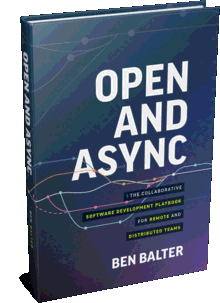 From the makerI built this free tool — and I wrote the book on working in the open. Open & Async is a playbook for remote and distributed teams, drawing on more than a decade of remote-first lessons from GitHub.Buy now
 What gets converted
| Word element | Markdown output |
|---|---|
| Headings | # Heading |
| Bold & italic | **bold** *italic* |
| Ordered & nested lists | 1. item · - item |
| Tables | | a | b | |
| Links | [text](url) |
| Code | `code` |
| Images |  |
| Strikethrough | ~~text~~ |
| Superscript & subscript | x<sup>2</sup> |
| Footnotes | text[^1] |
Going the other way?
To turn Markdown into a formatted Word document, use md2word.app. Same maker, same promise: it all happens in your browser.
Prefer the command line?
Word to Markdown is free and open source. Run it as a command-line tool for scripted or batch conversions. Same converter, no browser needed.
Frequently asked questions
How do I convert a Word document to Markdown?
Drag a .docx file onto the page (or click to browse). Word to Markdown converts it in your browser and shows the Markdown instantly. Copy it or download a .md file.
Is Word to Markdown free?
Yes. It is completely free and open source: no sign-up, no ads, and no limit on how many documents you convert.
Are my documents uploaded to a server?
No. Conversion happens entirely in your browser using JavaScript. Your files never leave your device and are never uploaded, stored, or logged.
How do I convert a Google Doc to Markdown?
In Google Docs, choose File → Download → Microsoft Word (.docx), then drop that .docx into Word to Markdown.
Can I convert a .doc file to Markdown?
Word to Markdown reads modern .docx files. If you have an older .doc file, open it in Word and save it as .docx (File → Save As → Word Document .docx), then drop that .docx in.
What formatting is preserved?
Headings, bold, italic, and strikethrough text, superscript and subscript, ordered and nested lists, tables, links, code, and images are converted to clean, GitHub-flavored Markdown.
How is this different from Pandoc?
Pandoc is a powerful command-line converter, but it has to be installed and configured first. Word to Markdown runs instantly in your browser with nothing to install. Just drop in a .docx. For scripted or batch jobs, a command-line version is available too.
Can I use this to prepare documents for ChatGPT, Claude, or other AI tools?
Yes. Markdown is a clean, token-efficient format for large language models and RAG pipelines. Converting a Word document to Markdown first gives AI tools well-structured text (headings, lists, and tables) without the noise of binary .docx formatting.